With Achievements in Board, you can create achievements and grant them to your users to recognize progress, performance, or specific actions.
Achievements can be granted manually (see Manage Achievements below) or automatically through notification actions. For single-tier achievements, the achievement is granted once the notification conditions are met.
Content
Achievement overview
1. Go to Settings
2. Click Achievements
3. Here you have an overview of the created achievements
- Name: The title of the achievement
- Type: Tiered or single achievement
- Level of tiers: How many tiers the achievement has
- Achieved by: Shows the users who have achieved the specific achievement
- Last achieved: The most recent date the achievement was achieved
Create Achievement
1. Go to Settings
2. Click Achievements
3. Click Create achievement
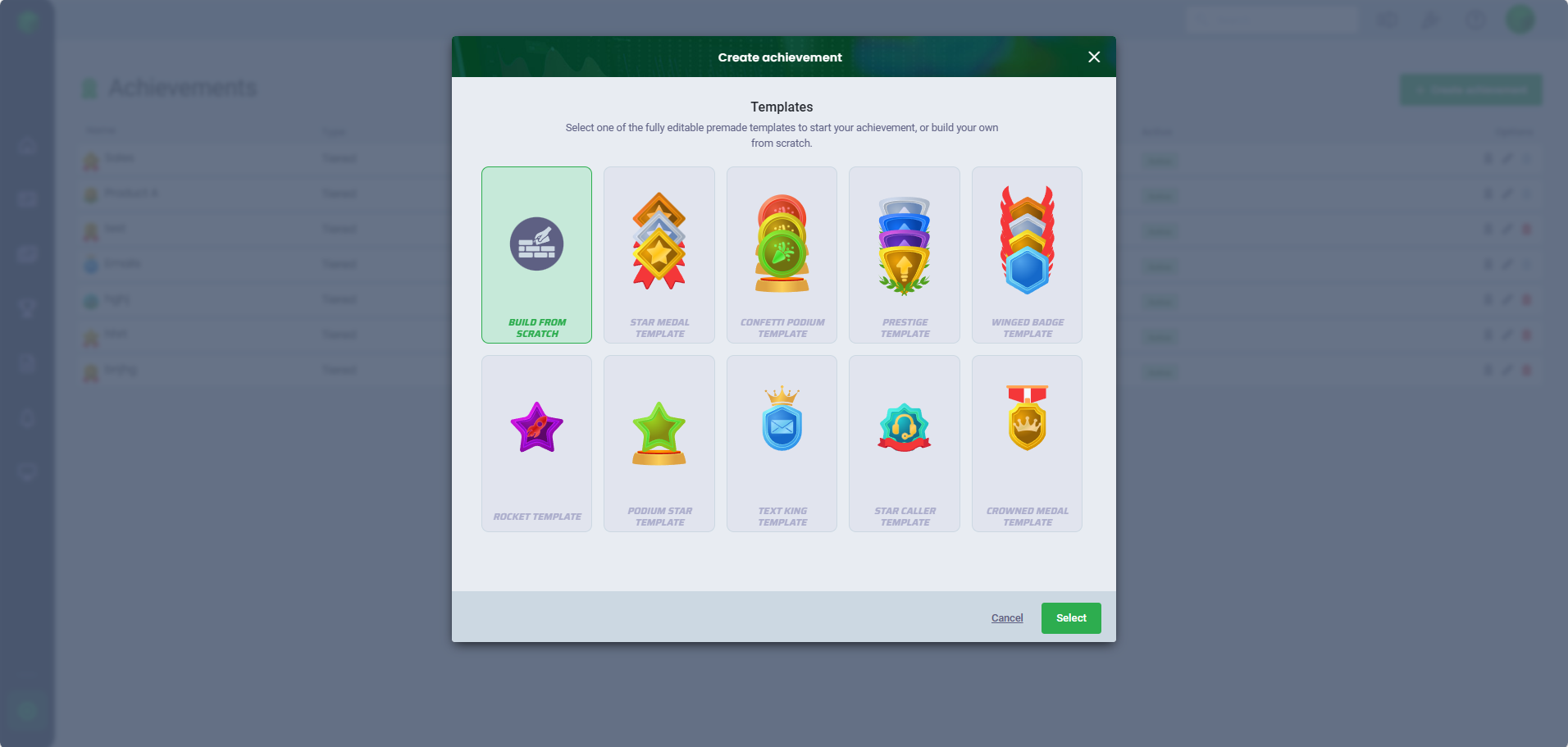
4. Select one of the templates or build the achievement from scratch
5. Give the achievement a title and description
6. Customize the achievement. This is required for custom achievements and optional with templates.
- Badge: Select one of the badges and define the color of the badge
- Symbol/Image: Choose from the different symbols and define the color of the symbol or upload an image to the achievement
- Decoration: Select your decoration
You can see a preview of the achievement on the right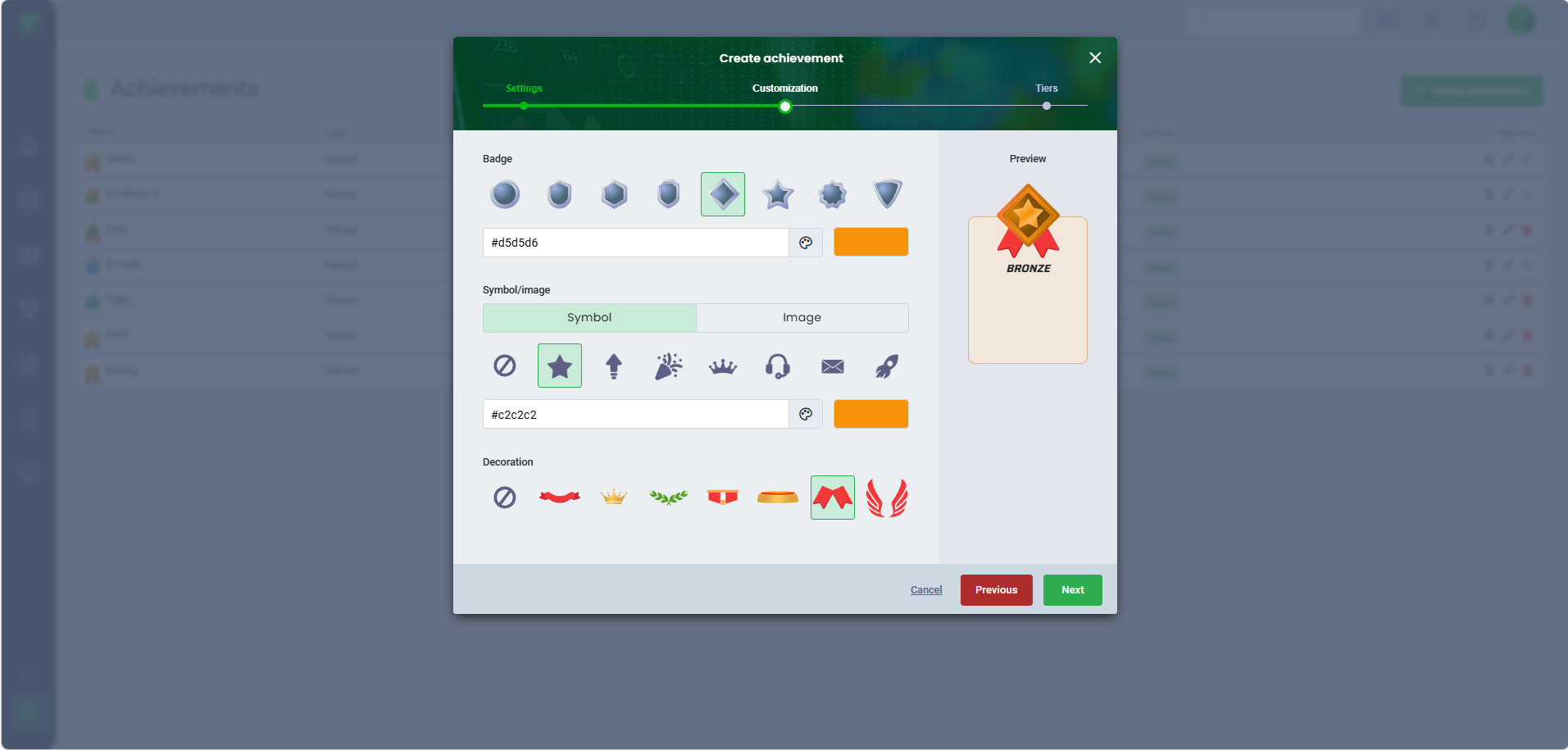
7. Customize the different tiers of the achievement, e.g. by giving each tier a description
- You can easily add more tiers to an existing achievement by clicking Add tier, or delete tiers by clicking on the delete icon.
Tiers that have been granted to users, cannot be deleted without first removing them from the users. 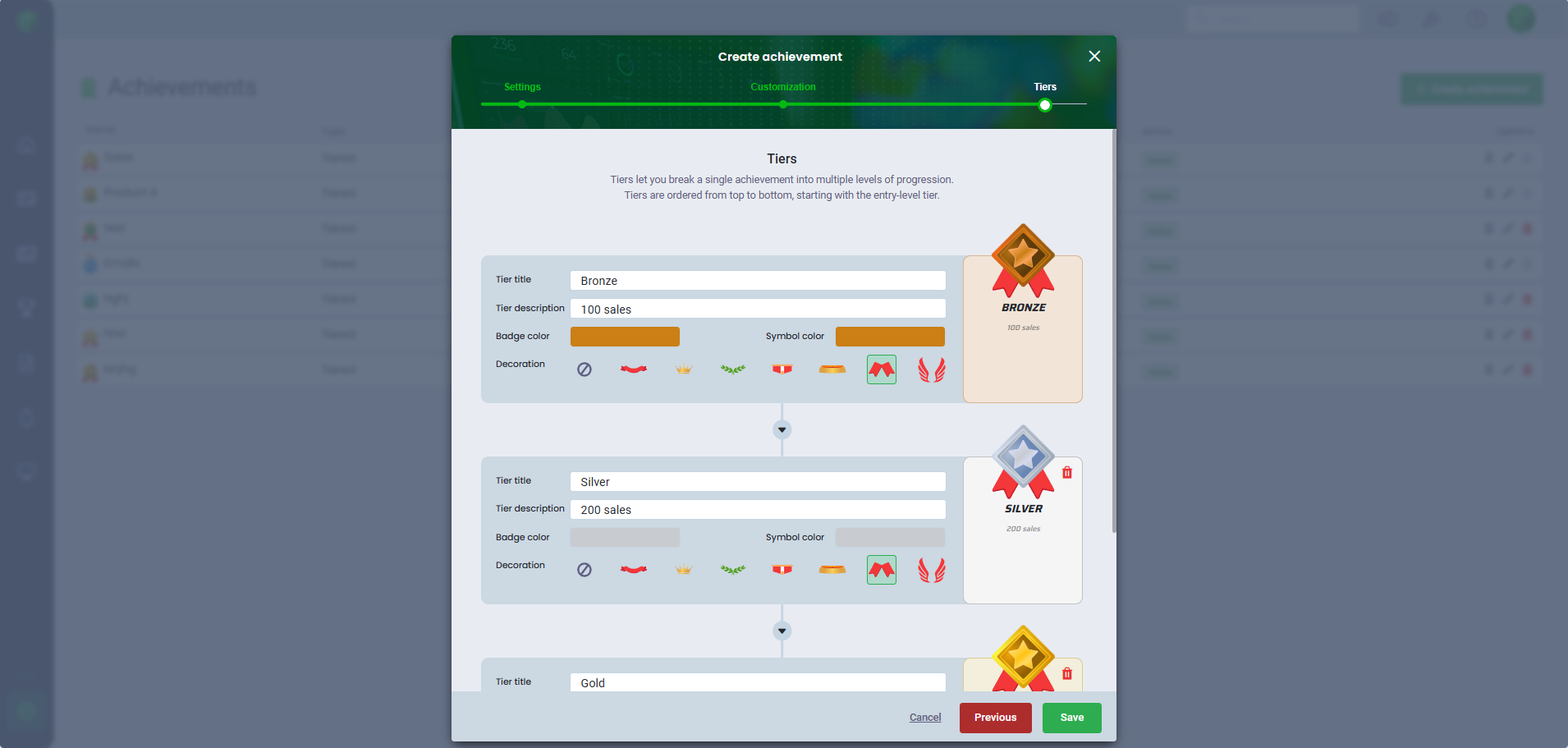
8. Click Save
Manage achievement
When you have created your achievement, you can grant it to your users.
1. Go to Settings
2. Click Achievements
3. Click Manage
- Here you can grant the achievement to users
- Click Grant to user on one of the tiers
- Click Grant
- Select user/s
- Set the granted date and time
- Optionally, you can add a comment
- Click Save
- Click Manage to see the users who have the specific achievement
- Click Delete to remove the achievement from a user
- Confirm with Yes
When achievements have been granted to users, it will be visible on the user’s profile, and if it has been enabled in your tables in Board, the achievement icon will be displayed next to the user’s name. Edit achievement
1. Go to Settings
2. Click Achievements
3. Click Edit
4. Make your adjustments, e.g. under customization by changing colors, badge, symbol or decoration or by editing descriptions of the tier, adding new tiers or deleting tiers of the achievement
5. Click Save
Delete achievement
If an achievement has been granted to one or more users, it cannot be deleted without removing the achievement from the users first.
To delete it from users:
- Go to Settings
- Click Achievements
- Go to Manage
- Click Delete for each user
- Click Close
When this is done, you can delete the achievement:
- Go to Settings
- Click Achievements
- Click Delete
- Confirm with Yes
Users can find the achievements that have been granted to them under the Achievements tab in their user profile.
Was this article helpful?
That’s Great!
Thank you for your feedback
Sorry! We couldn't be helpful
Thank you for your feedback
Feedback sent
We appreciate your effort and will try to fix the article