Under your profile, you can make various adjustments.
- Click the profile icon with your initials or photo in the top right corner to access your profile.
- Switch between Light and Dark themes
- Access your user profile
- Change your password
- Log out
By default, Board is displayed in Light theme. You can easily switch between Light and Dark themes directly from here. You can also adjust the color theme under 'Settings' in your user profile.
 |  |
User profile
In your user profile, you can update personal info, settings, gamification and change your password. You can also view your achievements.
To change your profile picture, click the image/initials above your name on the left side and select 'Edit' to upload a new image or GIF for your profile.
Please note that if you choose to use GIFs, you cannot resize or rotate it.Overview
Personal Info
- Click the profile icon with your initials or photo in the top right corner to access your profile.
- Click User profile
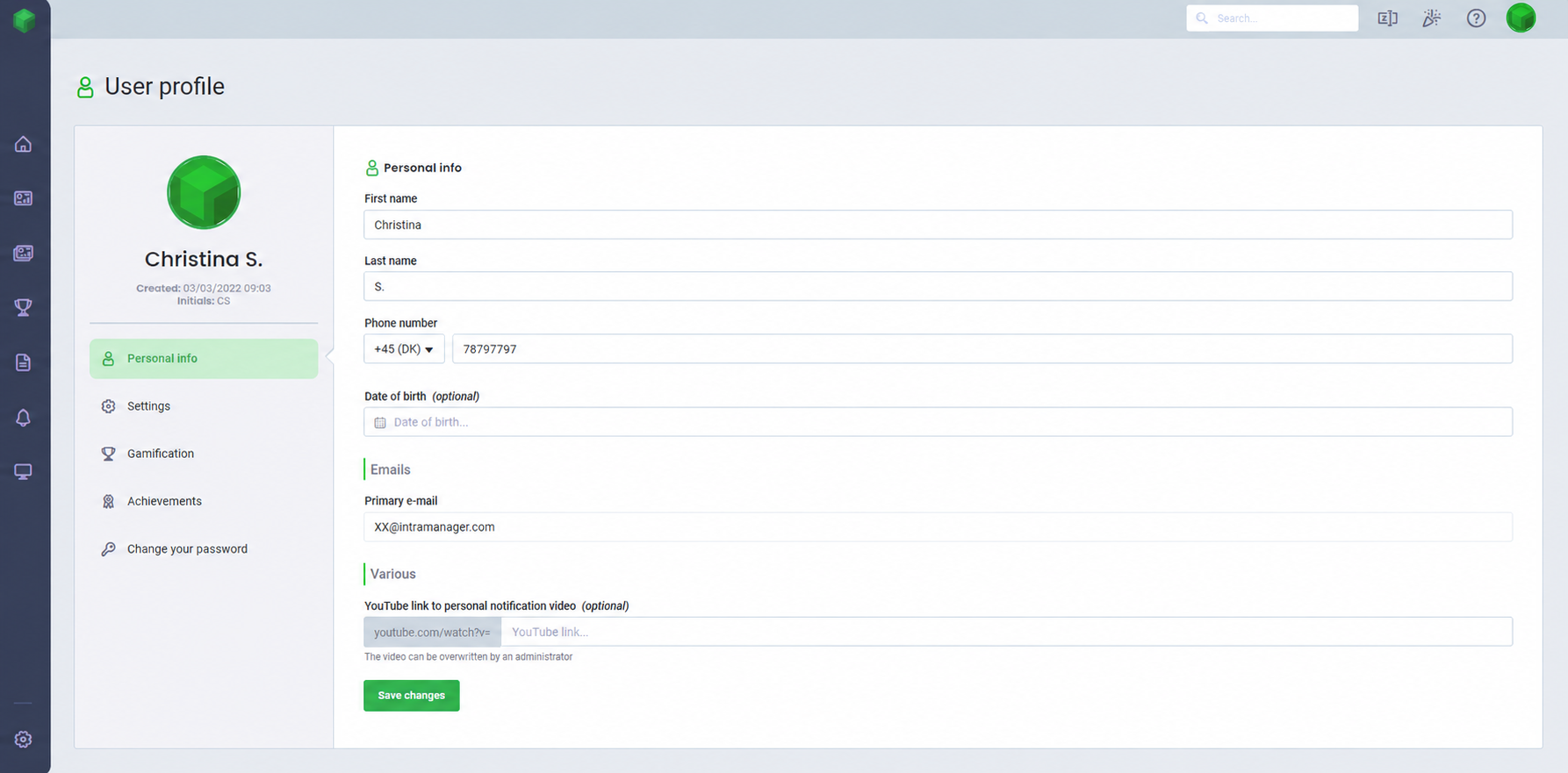
- Click the Personal info tab, to customize your name, add a phone number and date of birth
- You can also insert a YouTube link and specify start and end time for the video. The video will be displayed if the organization has enabled video notification and selected users' own videos.
- After making changes, click Save Changes to apply your updates.
Settings
- Click the profile icon with your initials or photo in the top right corner to access your profile.
- Click User profile
- Click the Settings tab
- Switch between Light and Dark themes to work in the color scheme that suits you best
- Choose the language for your user profile in Board
- Adjust the time zone
- Under Graphics, you can set whether you want your gamification to be displayed in the Best design or the Best performance

Gamification
Easily create your own avatar to stand out in Board's various games.
Your avatar will be visible in Survival, Teams, Race and Leaderboards games.- Click the profile icon with your initials or photo in the top right corner to access your profile.
- Click User profile
- Click the Gamification tab
- Select your gender, skin color, hair color, face, and hairstyle. You can also choose a mode of transportation to further differentiate your avatar.
You can see a preview of your avatar on the podium on the right.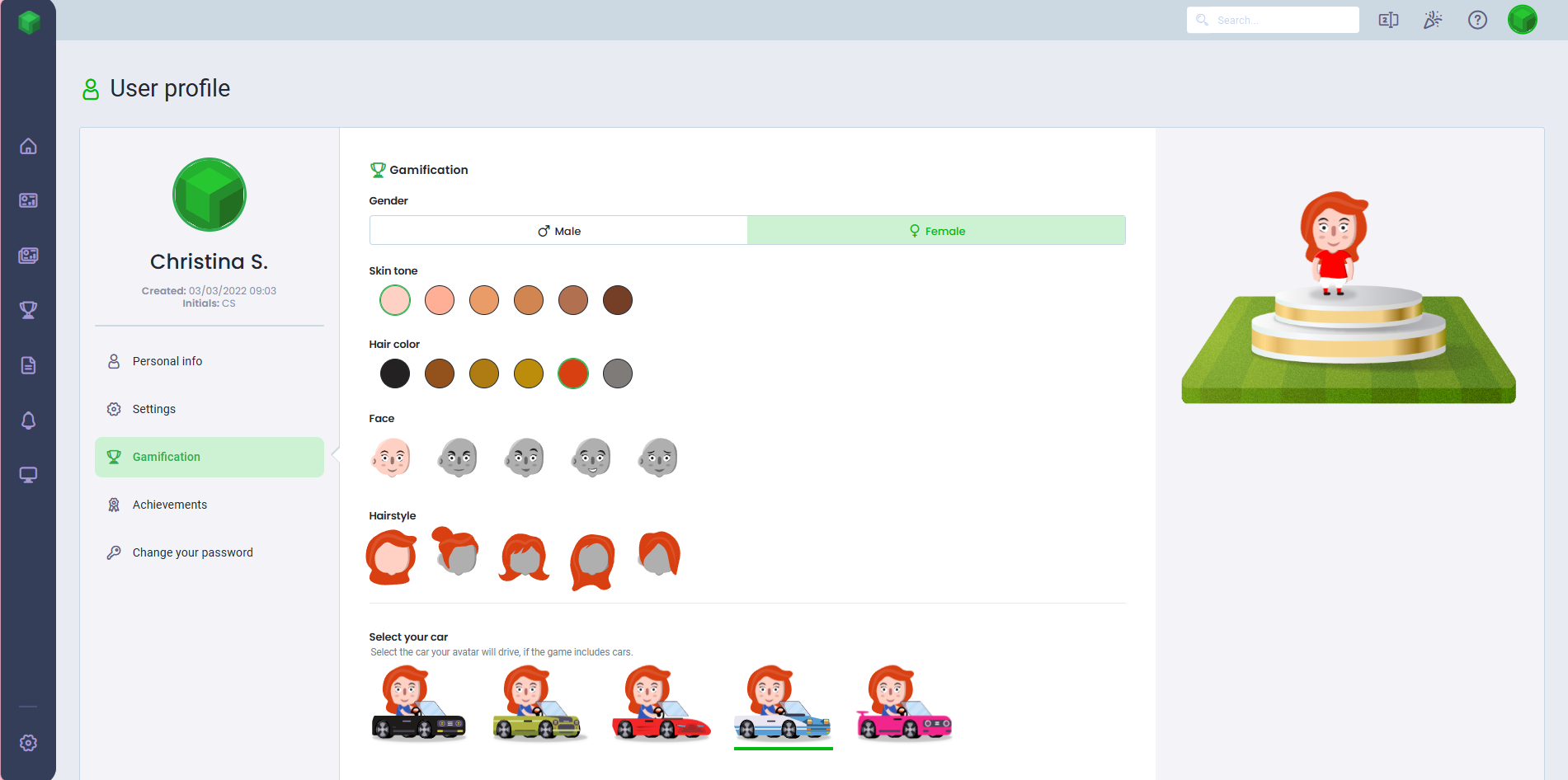
Achievements
- Click the profile icon with your initials or photo in the top right corner to access your profile.
- Click User profile
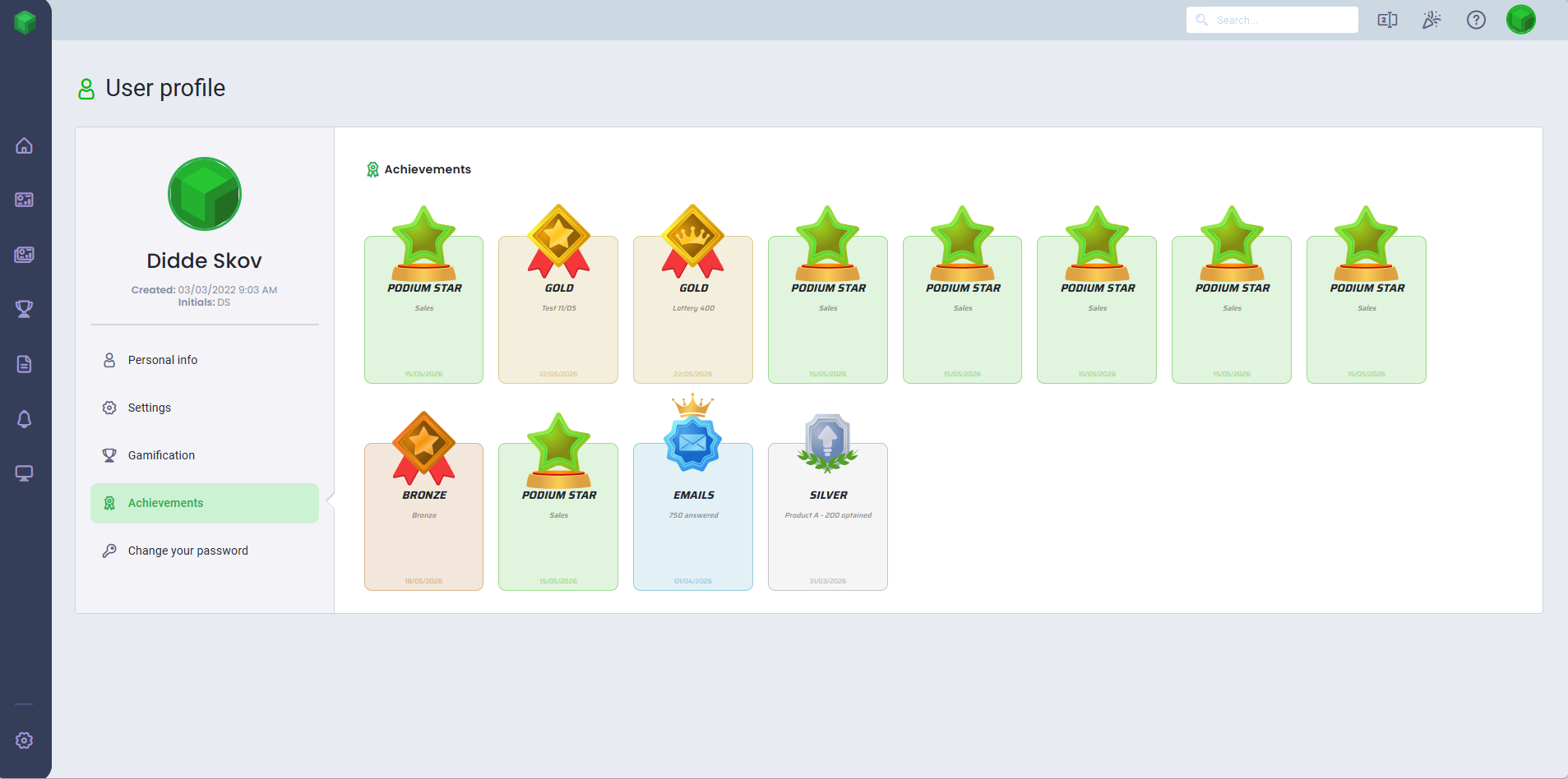
- Click the Achievements tab
- Here you can view all the achievements that has been granted to you
Change your Password
To change your password in Board:
- Click the profile icon with your initials or photo in the top right corner to access your profile.
- Click Change password
- You can also change your password through the user profile by clicking the Change your password tab.
- Click Change password
To change your password, you must confirm that you want to reset it. Please note that you will be logged out afterward.
Was this article helpful?
That’s Great!
Thank you for your feedback
Sorry! We couldn't be helpful
Thank you for your feedback
Feedback sent
We appreciate your effort and will try to fix the article