IntraManager Board integrates with Calabrio.
Set Up Data Source
To set up Calabrio as a data source in IntraManager Board, you need to be an Administrator, allowing you to add data sources.
Setting up the data source is simple:
- Navigate to Settings > Integrations
- Click on Add Integration and select Calabrio
- An alternative title can be displayed if you need to differentiate between multiple data sources of the same type
- Click Next
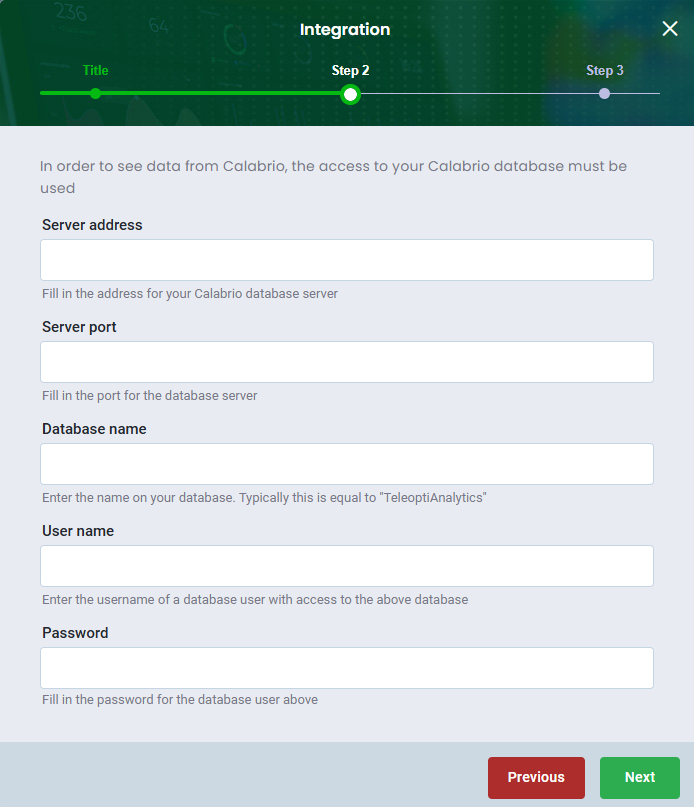
- Fill out the fields and click Next
- Optionally, click Check Credentials to validate the details. If everything is validated, it will be highlighted in green.
- Finish by clicking Save
Was this article helpful?
That’s Great!
Thank you for your feedback
Sorry! We couldn't be helpful
Thank you for your feedback
Feedback sent
We appreciate your effort and will try to fix the article