IntraManager Board integrates with Dstny using API.
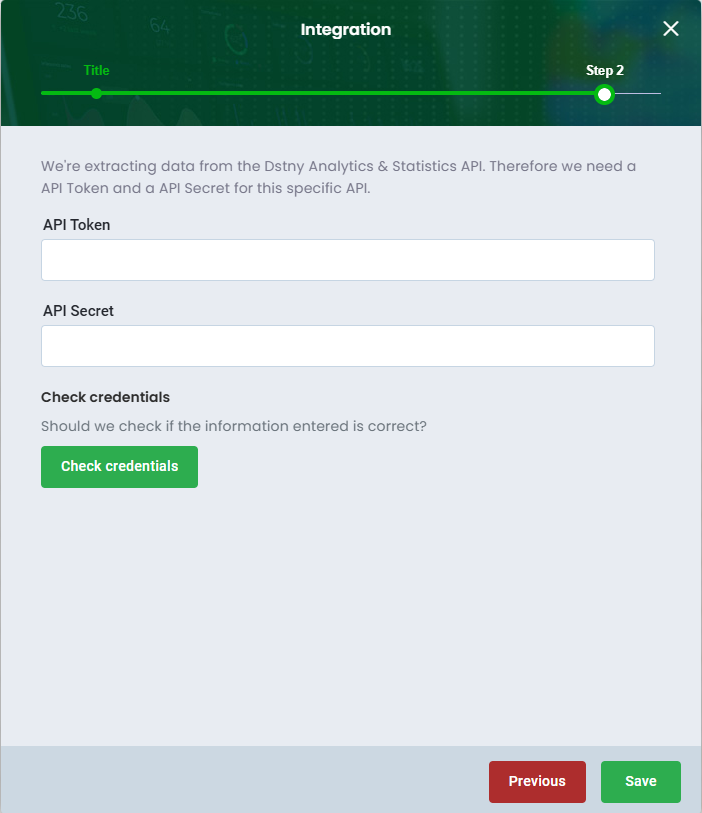
We're extracting data from the Dstny Analytics & Statistics API. Therefore we need a API Token and a API Secret for this specific API.
Set up data source
To set up the Dstny integration with Board, simply follow these steps:
1. Go to Settings > Integrations
2. Click on Create Integration and select Dstny
3. Optionally, name the data source if you have multiple data sources of the same type
4. Create a new API Token
We strongly recommend creating a new API token in Dstny.5. Enter the API Token and the API Secret
6. Then, click on Check credentials to verify whether the details entered are correct
7. Finish by clicking Save
Was this article helpful?
That’s Great!
Thank you for your feedback
Sorry! We couldn't be helpful
Thank you for your feedback
Feedback sent
We appreciate your effort and will try to fix the article